Marking software

Magic Mark Plugins

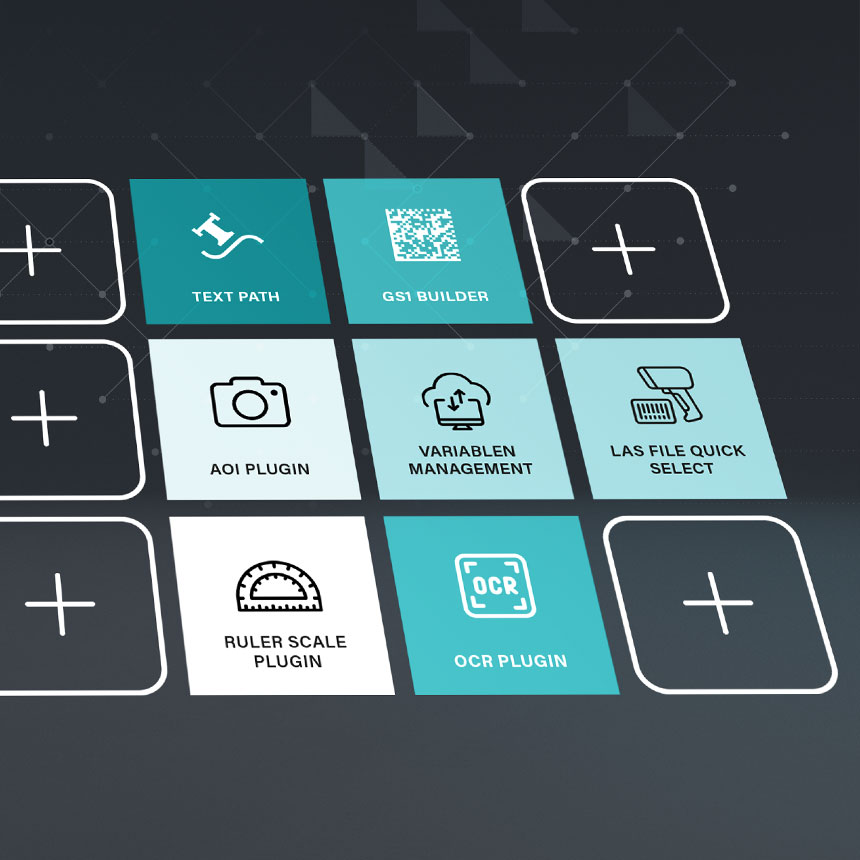
The Magic Mark laser software already offers a wide range of functions for creating, controlling, and outputting laser markings. Plugins can be used to expand the software’s capabilities for specific applications such as data integration, automation, image recognition, or special layout requirements. This allows processes to be designed more efficiently, laser systems to be used more flexibly, and solutions to be tailored precisely to specific applications.

Selection of Plugins for ACI's Magic Mark Laser Software

Expand Magic Mark Modularly

An Overview of Control, Graphics, and Modifiers

The more customized the application, the more important it is to have the right software feature. The Magic Mark plugins are organized into the categories of Control, Graphics, and Modifiers, and show at a glance which extensions automate processes, make marking layouts more flexible, or allow for targeted customization of existing graphic elements.

Plugin NameFunctionIncluded in Magic Mark
WebAPI PluginInterface Optionally available
Data Import PluginData Import & Variable Management Optionally available
OPC-UA PluginData Exchange Optionally available
GS1 BuilderGS1 DataMatrix Codes Optionally available
AOI PluginImage Recognition Included with the AOI Vision System
Control PluginProcess Control Optionally available
Sockets PluginDevice Communication Optionally available
Auto Focus PluginAutomatic Focusing Optionally available
Foil Star PluginFoil Handling Included with the Foil Star

sehr gut

gut

ungeeignet

Plugin NameFunctionIncluded in Magic Mark
Ruler Scale PluginScale marking Optionally available
Las File Quick Select Layout Quick Select Optionally available
Character-to-DXF Character Encoding Optionally available
Plugin NameFunctionIncluded in Magic Mark
Contour ToolContours & Fills Optionally available *
Text PathText Alignment Along Paths Optionally available
OCR PluginOCR-A/OCR-B Fonts Optionally available

* Fills from the Contour Tool are included in the standard version of Magic Mark

Applications & Processes

What tasks can be solved with Magic Mark Plugins?

Not every application has the same requirements for labeling software. In some processes, data must be provided automatically; in others, the focus is on image recognition, device connectivity, or special layout functions. Magic Mark Plugins specifically extend the software with the features required for your application.

Easy to integrate and control

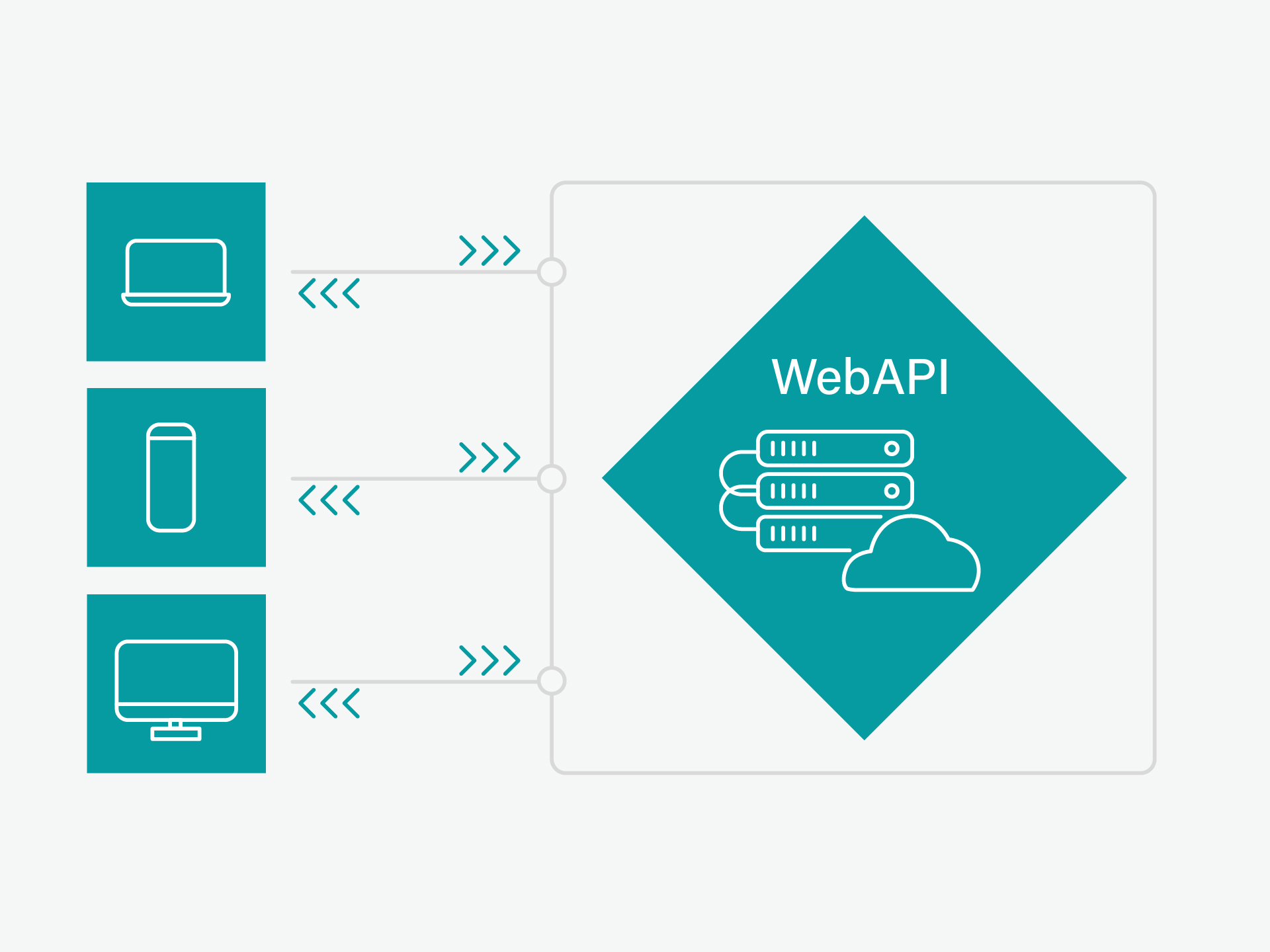
The WebAPI plugin for Magic Mark provides a flexible interface for external control, variable management, layout visualization, and event transmission via an integrated HTTP server.

Using Data from Systems

With the Data Import Plugin, data from databases, ERP, CRM, and MES systems, as well as CSV and XML files, can be imported directly into the labeling process. This allows variable content to be provided automatically and reduces the need for manual entry. The Data Import Plugin features a standardized interface (REST API) that enables platform- and programming language-independent communication via HTTP from within Magic Mark.


Securing Connected Machines

The OPC-UA plugin ensures reliable communication between various OPC-UA-enabled systems. It enables the secure exchange and provision of data and functions as either a client or a server.

Create GS1 Codes for Traceability

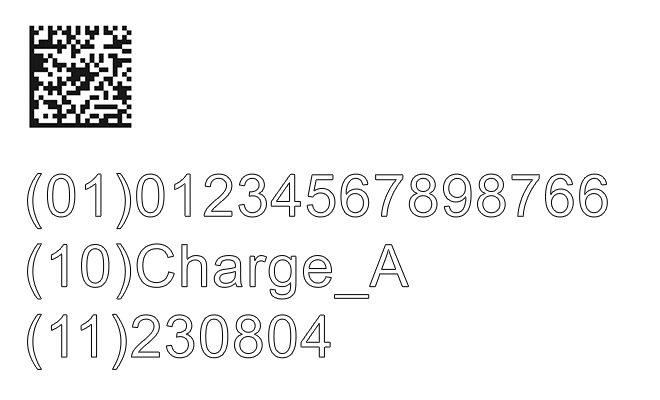
The GS1 Builder helps you create DataMatrix codes with a valid GS1 data structure. This allows you to prepare labels for traceable products in accordance with industry standards and use them directly in Magic Mark.

Integrate Image Processing

The AOI plugin adds image processing capabilities to Magic Mark. Objects, text, and codes can be automatically detected, analyzed, and used for precise alignment of the laser marking.

Connecting External Devices

Using the Sockets Plugin and the Control Plugin, external devices such as ID readers, camera systems, power supplies, or other IP-controllable components can be integrated into the marking process. This allows workflows to be controlled and automated directly from within Magic Mark.

Designing Flexible Markup Layouts

Plugins such as Contour Tool, Text Path, Character-to-DXF, Ruler Scale, and OCR Plugin expand the design possibilities in Magic Mark. They allow you to create contours, paths, scales, special characters, or point-based OCR fonts directly within the marking layout.

Automate Process Steps

Plugins such as Foil Star and Control Plugin provide support for recurring process steps, such as foil handling and simple control sequences. This makes marking processes more efficient and reproducible.

Interfaces for Automated Data Exchange

WebAPI Plugin

The WebAPI plugin provides access to the Magic Mark interfaces via a built-in HTTP server. This allows external applications, manufacturing control systems, or scripts to call functions from LaserControl, ScannerControl, and Workstation via HTTP. In addition, the plugin provides its own variables that can be used in Magic Mark layouts.

Visual Web-API Plugin
Icon for Data Import Plugin of the ACI laser software Magic Mark for importing data

Import Data from External Sources

Data Import Plugin

With the Data Import plugin, you can import data from databases, ERP or MES systems, as well as CSV, TXT, or XML files, directly into Magic Mark. This automatically provides variable content such as serial numbers, batch numbers, or part numbers for laser marking.

Secure Data Exchange for Industry 4.0

OPC-UA Plugin

Our OPC UA plugin connects industrial plants, machines, and software via a uniform and secure communication standard. It can both read and monitor data from other OPC UA systems and provide structured data and functions to higher-level systems. This means the OPC UA plugin can be used as both a client and a server.

OPC-UA Plugin Icon
GS1 Builder Plugin

Create GS1 Codes for Traceability

GS1 Builder

With the GS1 Builder, you can create DataMatrix codes with a valid GS1 data structure directly in Magic Mark. The plugin supports standard-compliant product labeling and simplifies the implementation of traceable labels.

Integrating Image Processing into Magic Mark

AOI Plugin

The AOI plugin extends Magic Mark with image processing and analysis capabilities. Objects, text, and codes can be automatically detected, identified, and used for precise alignment and inspection of the laser marking.

AOI Plugin Anwendungsbeispiel
Icon für Control Plugin der ACI Lasersoftware Magic Mark zur Steuerung kleinerer Aufgaben

Connecting External Devices and Processes

Control Plugin

The Control plugin allows you to control external devices and processes directly from within Magic Mark. This enables you to automate marking processes and integrate additional components into the workflow.

Connecting devices and systems

Sockets Plugin

The Sockets plugin enables communication between Magic Mark and external devices via network connections. This allows information to be exchanged and automated workflows to be implemented with camera systems, readers, or other components.

Icon für Sockets Plugin der ACI Lasersoftware Magic Mark zur plattformübergreifenden Kommunikation
Contour Tool Plugin

Use outlines for marking

Contour Tool

The Contour Tool automatically detects contours in graphics and uses them for laser marking. This allows existing drawings, logos, or graphic elements to be efficiently prepared for the marking process.

Arrange text along paths

Text Path Plugin

The Text Path plugin allows you to place text along any lines, circles, or contours. This makes it possible to flexibly adapt labels to part geometries and specific layout requirements.

Text Path Plugin Anwendungsbeispiel
Icon für das Character-to-DXF Plugin der ACI Lasersoftware Magic Mark zur DXF-Ausgabe

Including Special Characters and Symbols

Character-to-DXF

With Character-to-DXF, characters and symbols can be integrated into marking layouts as DXF graphics. This allows custom characters, logos, or special marking elements to be used flexibly for laser marking.

Creating Scales and Graduations

Ruler Scale Plugin

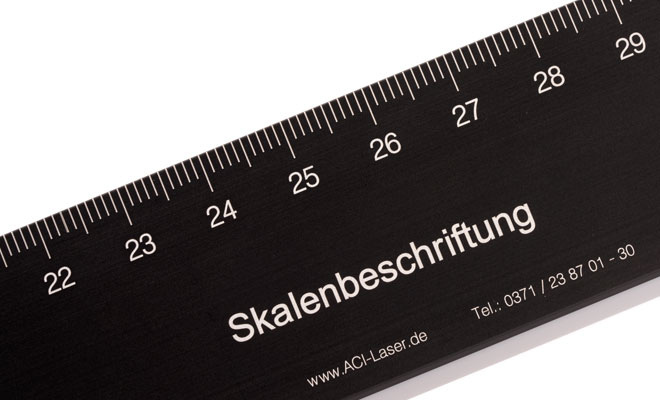
The Ruler Scale plugin helps you create scales, graduations, and measurement marks. This allows you to efficiently generate scale labels for technical components and measurement applications.

Skalen Plugin Anwendungsbeispiel
Icon für OCR Plugin der ACI Lasersoftware Magic Mark zur Punktausgabe von Fonts

Use machine-readable fonts

OCR Plugin

The OCR plugin allows OCR-A and OCR-B fonts to be integrated directly into marking layouts. This makes it possible to create markings that are optimized for automatic character recognition by downstream reading and verification systems.

Compensating for Varying Component Heights

Auto Focus Plugin

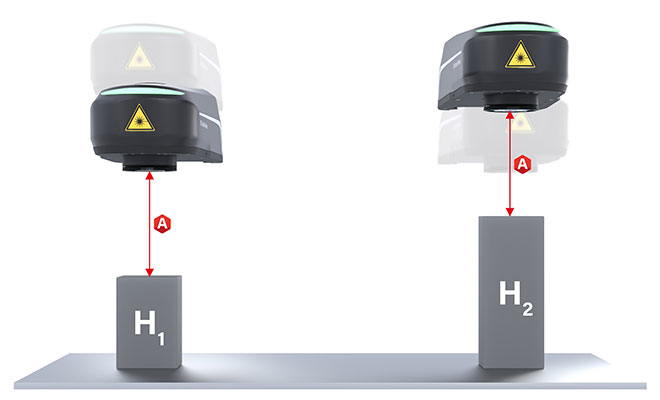
The Auto Focus plugin automatically adjusts the laser's focus to accommodate different component heights. This ensures reproducible marking results and reduces the need for manual adjustments.

Plugin Auto Focus
Foil Star Plugin Anwendungsbeispiel

Automating foil handling

Foil Star Plugin

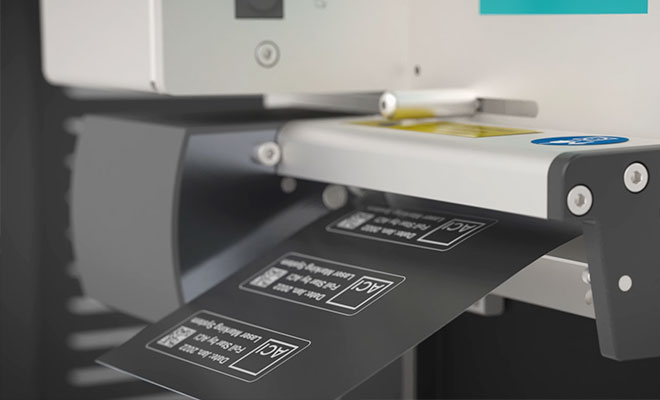
The Foil Star plugin is used to connect to and control the Foil Star film-handling system directly from Magic Mark. Foil transport and the labeling process are controlled centrally via the labeling software, and labeling templates are processed fully automatically.

Quickly Select Markup Files

Las File Quick Select

With Las File Quick Select, you can quickly select and load pre-prepared labeling files. This makes it easier to switch between recurring labeling tasks and supports efficient workflows.

Icon für Las file quick select Plugin zum schnellen Laden einer Datei

FAQ – Frequently Asked Questions About Magic Mark Plugins

What plugins are available for Magic Mark?

Various plugins are available for Magic Mark that can be used to expand the labeling software’s capabilities depending on the application. These include, among others, the Data Import Plugin, GS1 Builder, AOI Plugin, Control Plugin, Sockets Plugin, Auto Focus Plugin, Foil Star Plugin Las File Quick Select, Contour Tool, Text Path Plugin, Character-to-DXF, Ruler Scale Plugin, and the OCR Plugin.

The plugins support, among other things, data import, GS1 DataMatrix codes, image processing, automation, device communication, foil handling, and special layout and graphics functions.

Can Magic Mark plugins be retrofitted?

Yes, many Magic Mark plugins can also be retrofitted into existing installations. Whether retrofitting is possible depends on the version of Magic Mark being used, the laser system, and the specific hardware configuration. Typical extensions include, for example, plugins for data import, device communication, automation, or auto focus.

This allows the marking software to be flexibly adapted to new requirements, processes, or additional hardware.

Which Magic Mark plugins support automated labeling processes?

Several Magic Mark plugins are available for automating marking processes. Depending on the application, different extensions can be combined:

  • Data Import Plugin – imports variable data from ERP, MES, or database systems, as well as CSV and XML files.
  • Control Plugin – enables graphical parameterization and control of automated processes.
  • Sockets Plugin – connects Magic Mark to external controllers, PLCs, or other software systems.
  • Auto Focus Plugin – automatically adjusts the focus and reduces the need for manual adjustments.

This allows for the extensive automation of data provision, system control, and marking processes.

Can data be imported from ERP, MES, or database systems?

Yes, the Data Import Plugin allows labeling data from external data sources to be imported into Magic Mark. These include, among others, ERP and MES systems, relational databases, and CSV, TXT, or XML files.

This makes it possible to automatically provide variable content—such as serial numbers, batch numbers, part numbers, or production data—for the marking process, thereby reducing the need for manual entry.

Are there any plugins for image processing and object recognition?

Yes, the AOI plugin provides a software extension for image processing and object recognition for Magic Mark. When used in conjunction with an AOI vision system, objects, text, and codes can be automatically detected, identified, and measured. The laser marking is then automatically aligned with the workpiece and verified after the marking process. In addition, the AOI plugin also supports applications in the field of optical character recognition (OCR).

Which plugins support product traceability?

For applications with traceability requirements, Magic Mark offers extensions for creating structured, standards-compliant labels. The GS1 Builder and the Data Import Plugin are particularly relevant: The GS1 Builder supports the creation of DataMatrix codes with a valid GS1 data structure, while the Data Import Plugin imports variable product and process data such as serial numbers, lots, part numbers, or order data from external data sources.

This allows product information to be captured in a standardized manner and uniquely assigned throughout the value chain. Depending on the application, the AOI Plugin can also be used to detect objects, text, and codes and to verify the markings after the marking process.

Customers about us

I just wanted to say a quick thank you that everything went so well with your service here in Japan. We changed 5 lasers from hardware dongle to software dongle, and the communication with your service department here was very good.

A satisfied ACI customer

Many thanks to Mr. Janicke for the prompt and professional repair service and to all involved for the fast processing!

ECOM Instruments GmbH | Werner Gebert

Head of Operations

I want to use the opportunity to say that I appreciate the partnership with ACI and I’m happy that our initial efforts are paying off. I think one big advantage of ACI is your customer friendly, qualified and quick feedback to us!

Pepperl+Fuchs SE | C. Ahlheim

Project Expert Process Technology Development (PTD)

The laser works well and we have done so good work with it. The camera is a wonderful tool for small jobs like jewellery pieces. The staff that use the fibre laser really like it and enjoy producing work they are proud of.

The Engraving Crew | T. Evans

Perfect product coupled with excellent service, an exceptionally competent team and the nicest boss ever, who is always ready to give his all for his company. Highly recommended.

Goldschmiede Arthur Müller | S. Thon

Owner

We have been using ACI's laser system for many years and are very happy with it. Flexible configuration possibilities, wide-ranging functionality, great service and continual improvements to the application software are all things that confirm that we made the right choice by opting for a product from ACI.

STILLE Präzisionsmesstechnik GmbH | M. Leipold

Commercial Director

The support in the form of free-of-charge sample markings for new projects always goes without a hitch and is provided incredibly quickly; the quality of the documentation saves us work and time later on when we come to implement the project. We have been using ACI laser systems since 2015 and will happily testify to the high quality of the equipment.

Technomatik GmbH | J. Gaßner

Head of Process development and tool, jig & fixture manufacturing

We have been using ACI's reliable lasers since 2005, and whenever we embark on a new project, I am always pleased with the expert advice we are given, the rapid response times, the fair prices and the excellent support. Fantastic service all round!

Diato GmbH | R. Heydel

Production Manager

The commissioning went smoothly. I would like to thank you for the uncomplicated and speedy implementation of this project!

Harmonic Drive SE | T. Knapp

Production technician mechanics

We have been working with the laser system since 2007 without any problems and are very satisfied with the competent service and professional advice.

von den Steinen GmbH & Co. KG Präzisionsschneidwerkzeuge | U. Bäcker

Technical consulting

On behalf of Matthias Wetzel INDUSTRIEBESCHRIFTUNGEN, I would like to thank the service technicians for their uncomplicated and conscientious work. A reinforced X-gantry was retrofitted in our plant. We are very satisfied with this solution.

MAK | T. Lammert

Technical product designer

With a new plugin from ACI, I was able to offer several end customers the ideal solution for their laser marking projects. The new software feature is perfect and the ACI team is simply the best!

HoLaP | L. Chalet

Manager

Suitable Laser Systems

Search

Press ENTER to confirm or press ESC to close

Cookie Settings

We use cookies on our website. Here you can select whether and, if applicable, which non-essential cookies you wish to accept. You can also find more information about the cookies we use.

EN DE ES FR
Cookie consent by WebThinker

Individual cookie settings

Here you can specify in detail which services you wish to allow. Individual services can be enabled or disabled within each category.

EN DE ES FR
Cookie consent by WebThinker